
Lightning Web Components
New Account
Configure and use the New Account component to create accounts via Proff Connect.
Configuration Recommendation
To support a hybrid user base where some users prefer the standard account creation process, avoid overriding the "New" action. Instead, deploy a separate List Button for Company Search to provide an optional entry point for Proff Connect. Company Search — List Button
Enabling Company Search and Creation via Proff Connect
To allow users to search for and create companies through the Proff Connect interface, you need to update the New Account action to use a Lightning Component override.
Steps to Configure the New Account Action
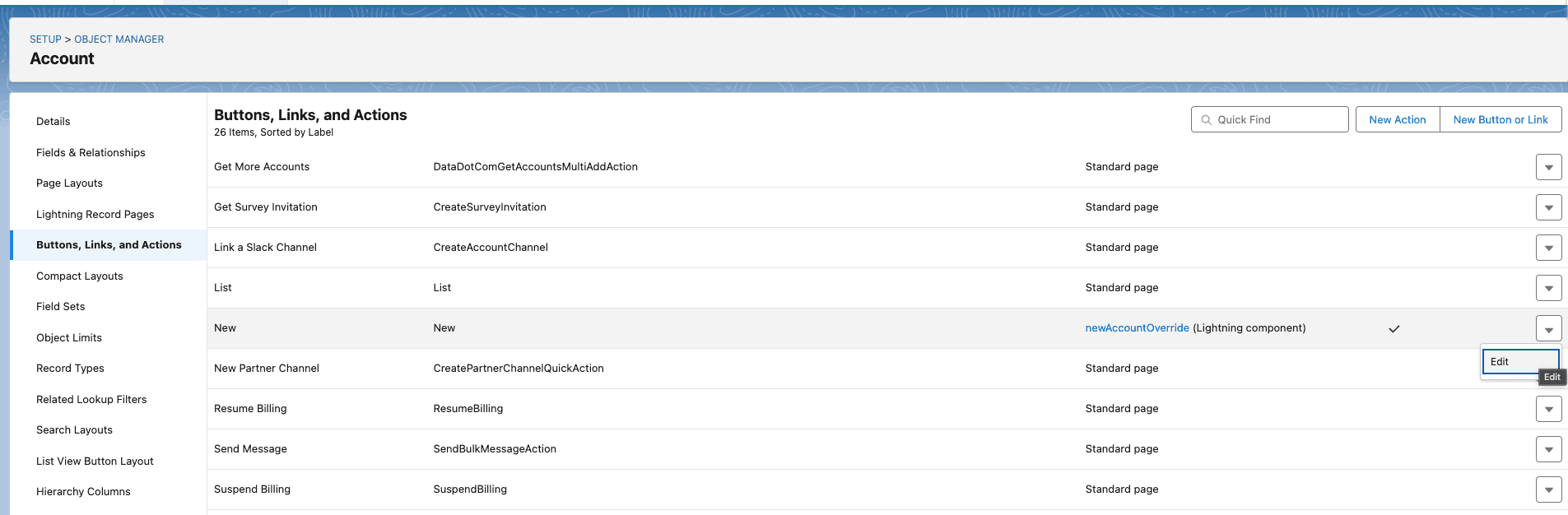
- Navigate to Setup → Object Manager → Account.
- In the sidebar, select Buttons, Links, and Actions.
- Locate the New action and click Edit.
- Under Lightning Experience Override, change the setting from Standard Page to Lightning Component.
- Select
A82:newAccountOverrideas the component.
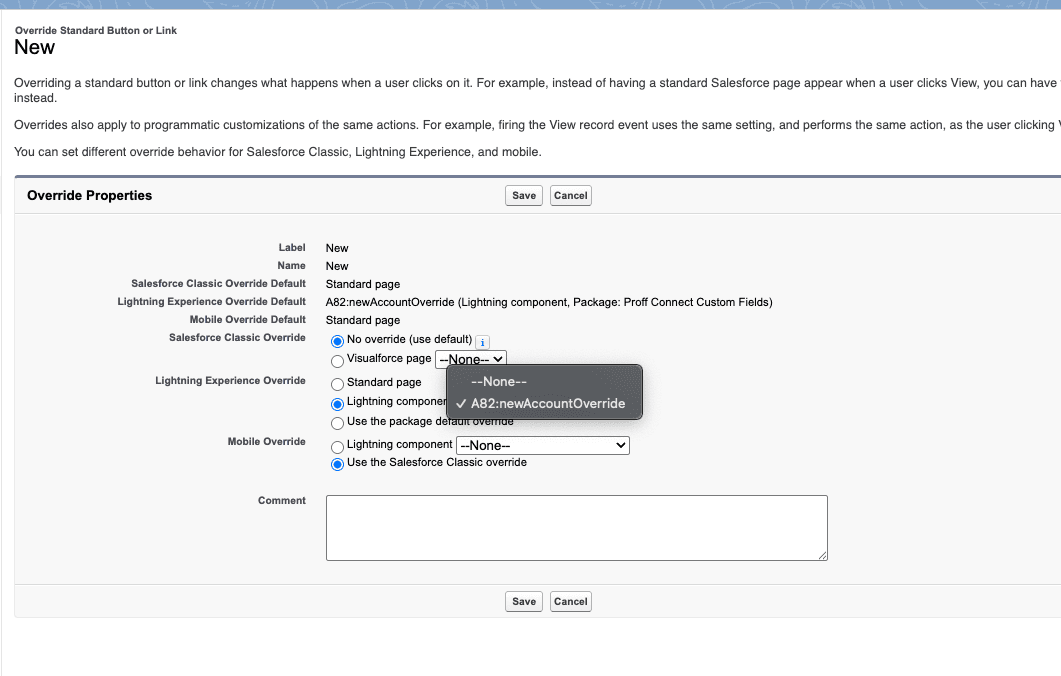
Once this change is saved, you can start using the Proff Connect interface to create new Accounts directly in Salesforce.
Was this article helpful?