
Component visibility on Lightning pages
Show Proff Connect Lightning components only to licensed users by filtering on the Proff Connect Licensed User custom permission.
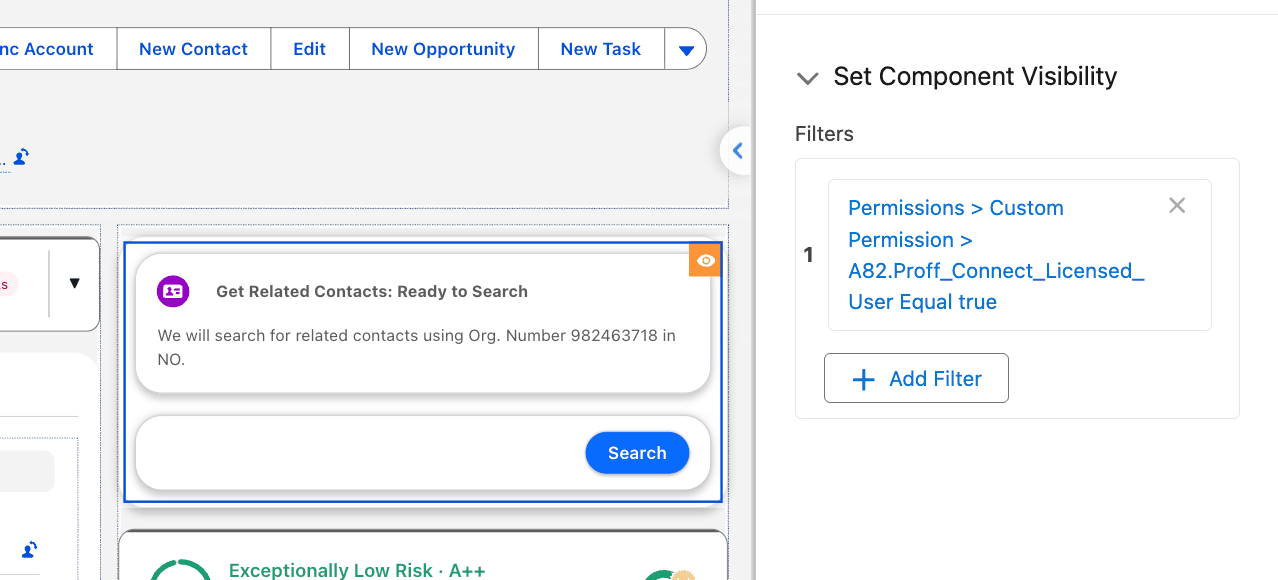
Every Proff Connect Lightning component that you place on a Lightning page in App Builder needs a visibility filter. Use the custom permission Proff Connect Licensed User.
Without the filter, Salesforce loads the component for everyone who opens the page. Users who do not have a Proff Connect license then see error messages. The filter hides the component before it loads, so those users never hit the error.
Proff Connect Licensed User is already included in Proff Connect User Group and Proff Connect Admin Group. Do not create a new custom permission. Users who are assigned one of those groups already have it. See Assigning the Correct Access.
Set the filter
Repeat these steps for every Proff Connect component on the page.
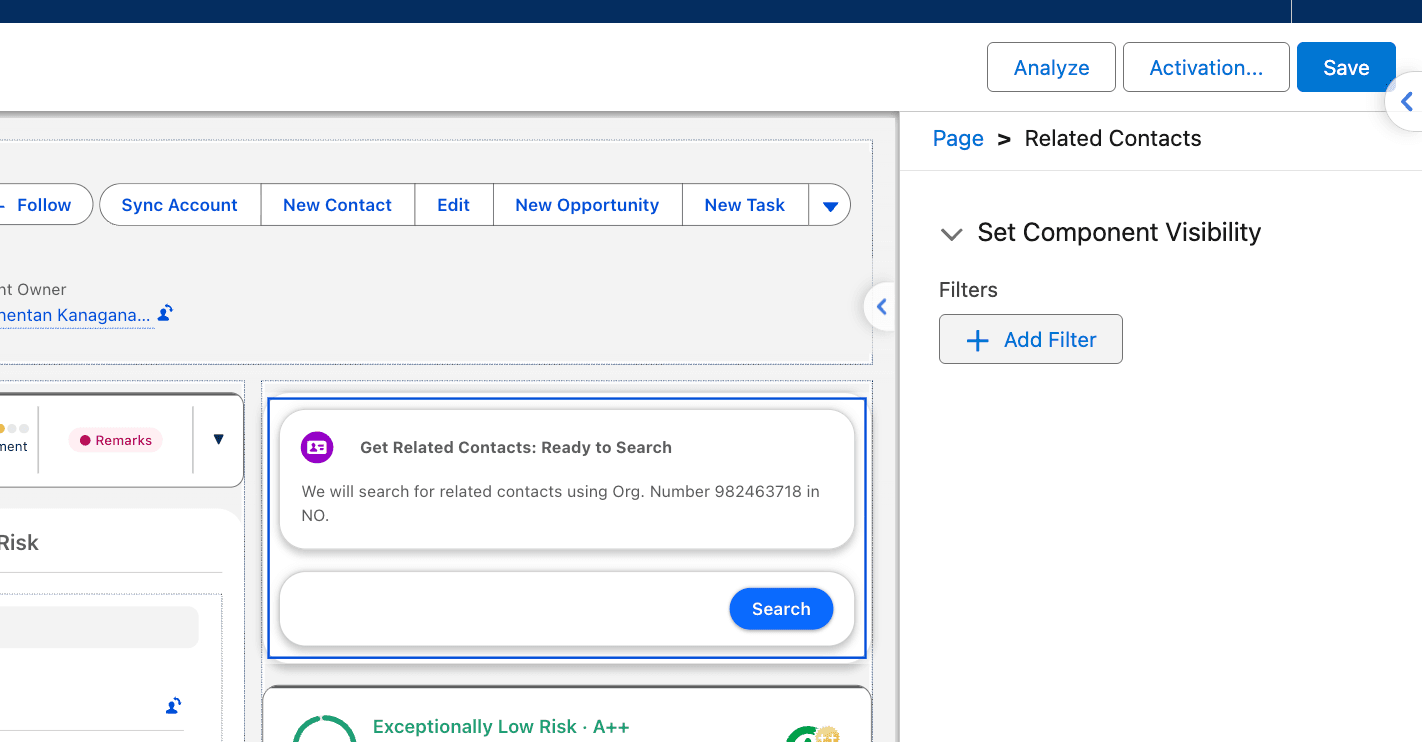
- Open the Lightning page in Lightning App Builder. On a record, click the gear icon and select Edit Page. Select the Proff Connect component. Under Set Component Visibility, click Add Filter.
- Set Filter Type to Advanced.
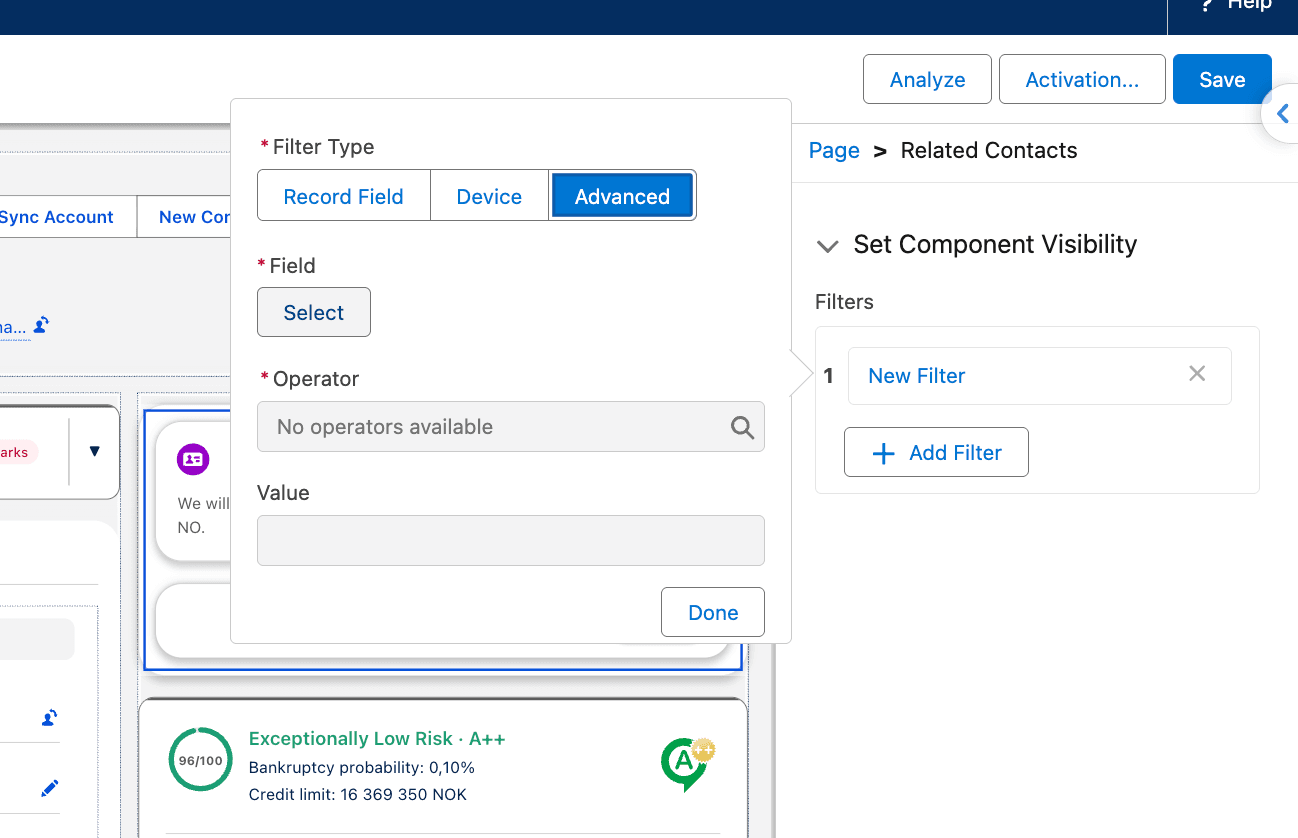
- Next to Field, click Select. Choose Permissions, then Custom Permission.
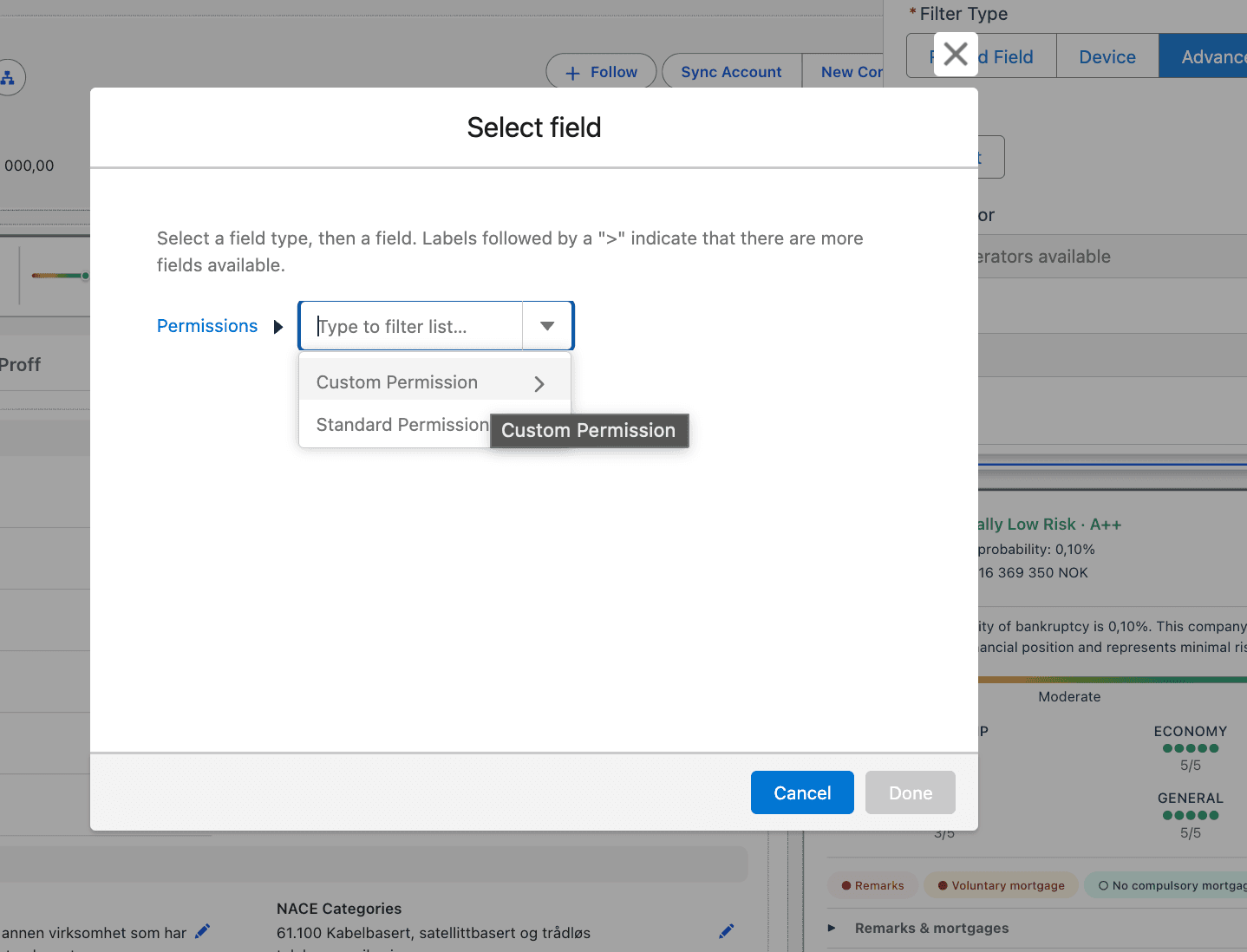
- Select Proff Connect Licensed User and click Done. In the picker it is listed as
Proff_Connect_Licensed_User.
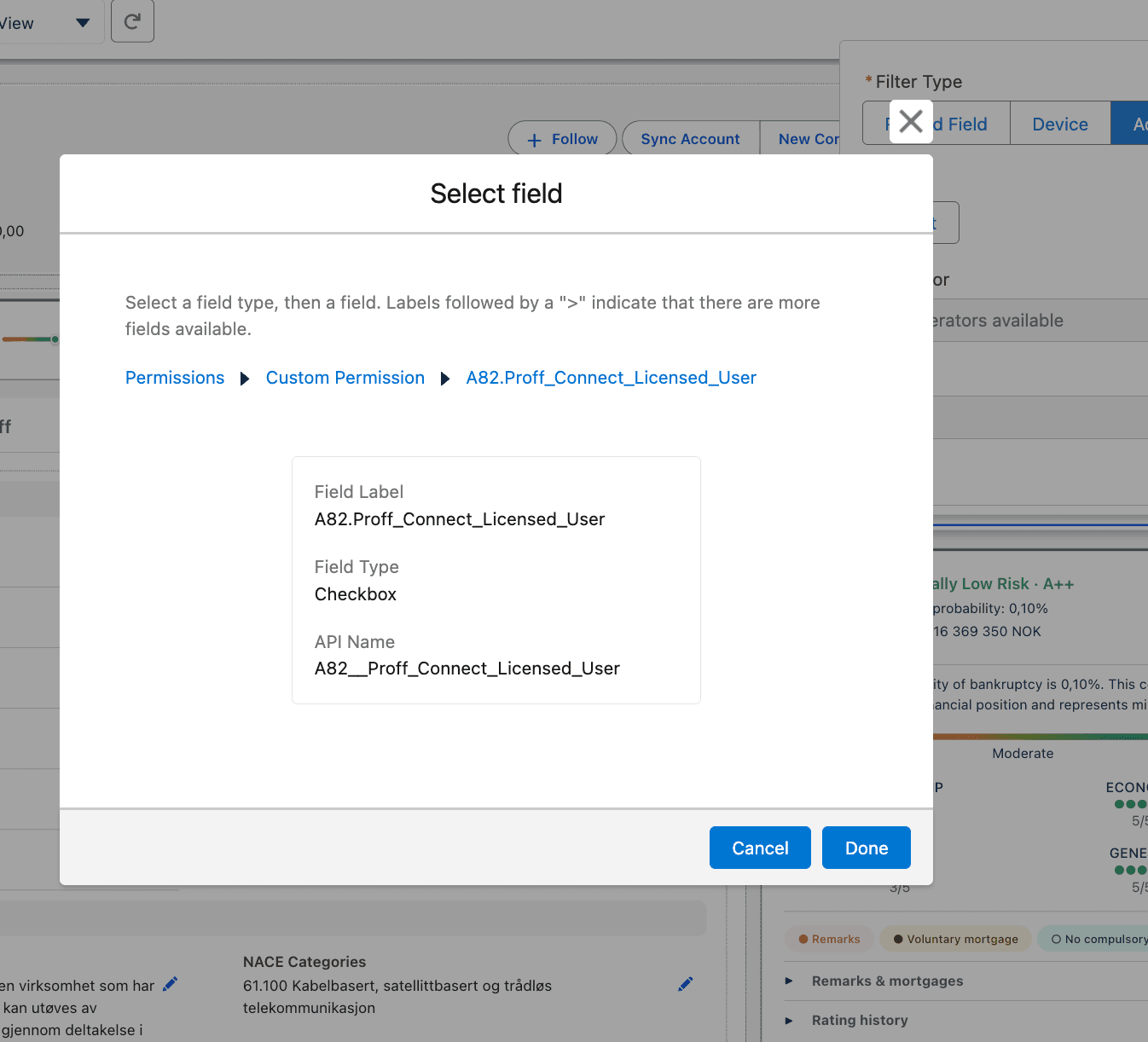
- Set Operator to Equal and Value to True. Click Done.
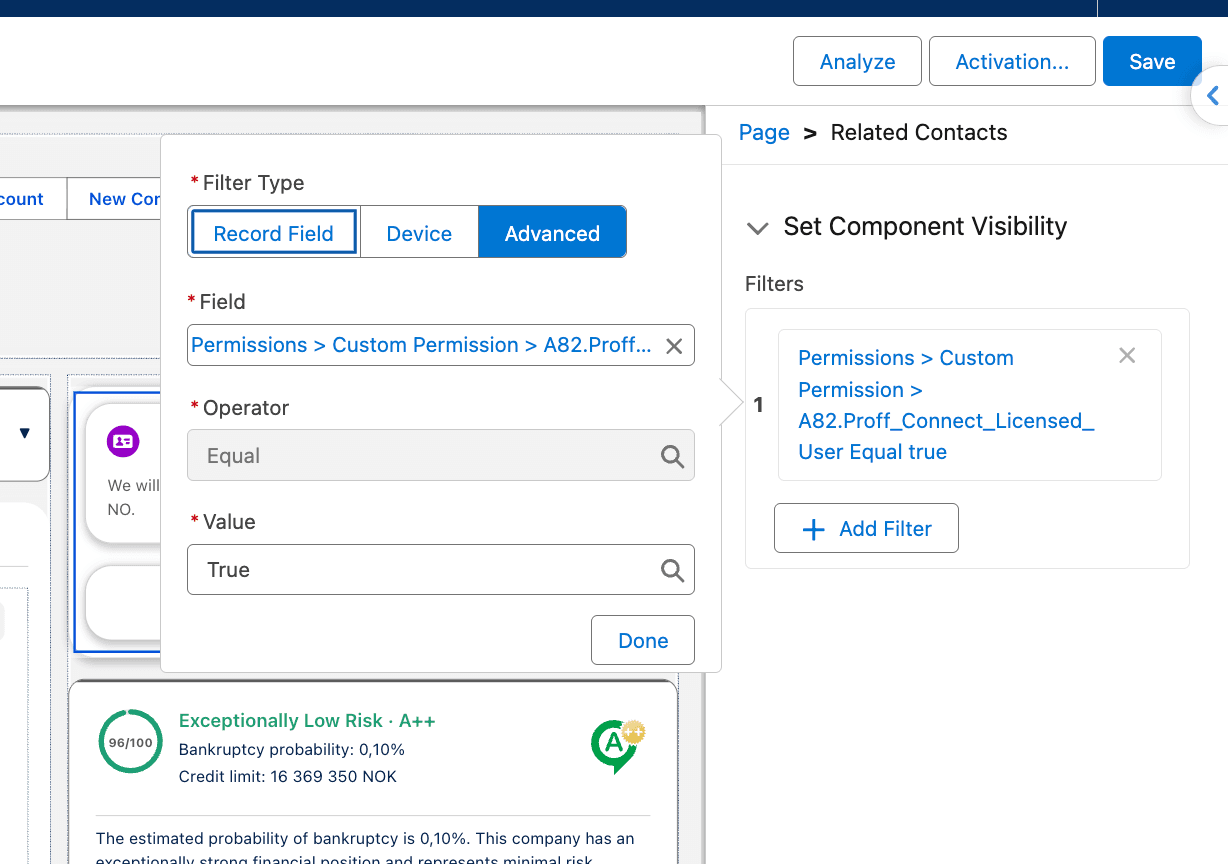
- The filter is listed on the component. Click Save, and activate the page if Salesforce prompts you.
Important
The filter does not replace a package license or a Permission Set Group. Licensed users still need both. The filter only stops the component from loading for everyone else.
Which components
Apply the filter to every Proff Connect component you drag onto a Lightning page. That includes Company Insight, Contact Insight, Enrich Lead, Enrich Account, Related Contacts, Sync components placed on the page, and Account Change Events.
List view buttons, such as Company Search, are not placed through App Builder visibility. Access to those follows the package license and the Permission Set Group.
Was this article helpful?